agency-agents: Make an Army of Experts Your Assistants
Day to day, working with agents means writing prompts and getting answers. If a prompt doesn't feel good enough, you can have an LLM generate the prompt first, then hand it to the agent.
Today I'm introducing agency-agents, an open-source project with 127k+ GitHub stars. Repo:
https://github.com/msitarzewski/agency-agents
It defines 232 professional AI agents, each with its own personality, workflow, and delivery standards, covering 16 domains including frontend, backend, design, marketing, and security.
First, the Results: One Question, Two Answers
Suppose you ask an AI: "Design a user authentication API."
A generic prompt's answer (roughly like this):
I'd suggest using JWT for user authentication. Create a POST /login endpoint that takes a username and password, verifies them, and returns a token on success. The client then includes the token in subsequent requests...
agency-agents' @backend-architect answer (in this style):
Let me design a complete authentication scheme. Architecturally, I'll go with a dual-token model: an access token plus a refresh token. The access token is short-lived (15 minutes) and used for API authorization; the refresh token is long-lived (7 days) and used for seamless renewal. On the database side, you'll need a refresh_tokens table to support token revocation. Specifically...
It doesn't just plug into Claude Code; it ships with conversion scripts so you can hook it straight into OpenCode, Kimi Code, and other tools. Today I'll use OpenCode to walk you through what it can do.
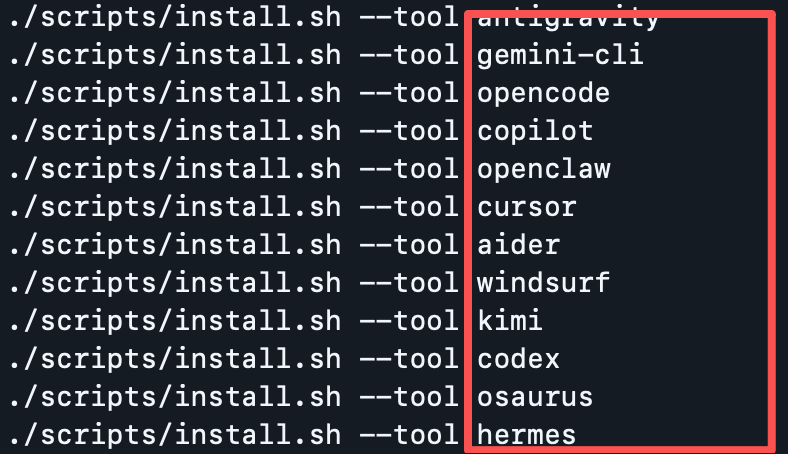
Three Steps to Plug It into OpenCode
Step 1: Clone the repository
git clone https://github.com/msitarzewski/agency-agents.git && cd agency-agents
Step 2: Generate agent files in OpenCode format
./scripts/convert.sh --tool opencode
This step converts the 232 Markdown prompts into a format OpenCode recognizes. OpenCode has some limits when importing; the pitfall guide below covers the details.
Step 3: Selectively install into your project
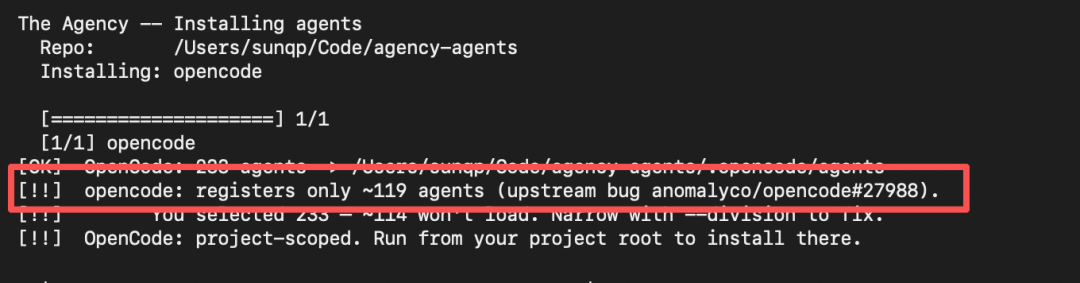
OpenCode currently caps the number of agents (around 119); installing everything will get the extras silently dropped. Use --division to pick what you need:
./scripts/install.sh --tool opencode \
  --division engineering,design,security,testing
These 4 divisions total 61 agents, covering frontend and backend development, UI design, security auditing, and QA. That's more than enough.
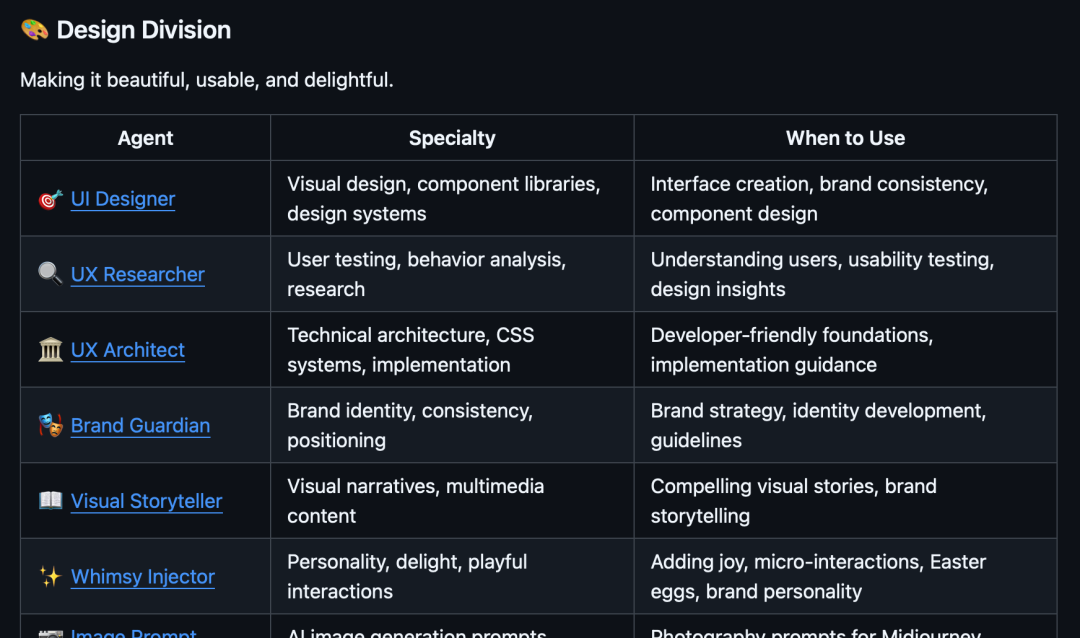
Not sure which divisions exist? Each division comes with a detailed description:
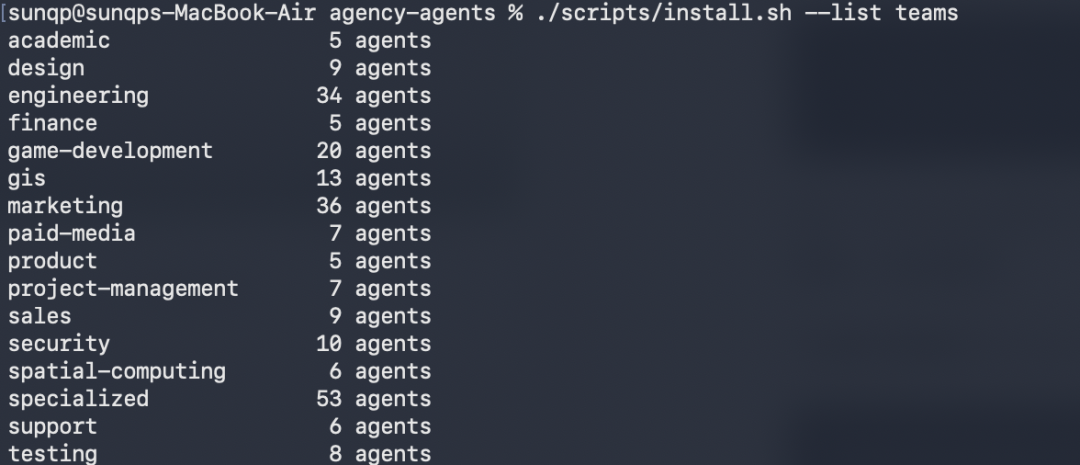
You can also preview them with a command:
./scripts/install.sh --list teams
How to Use It Once Installed
After installation, your project gains a .opencode/agents/ directory containing all the agent files.
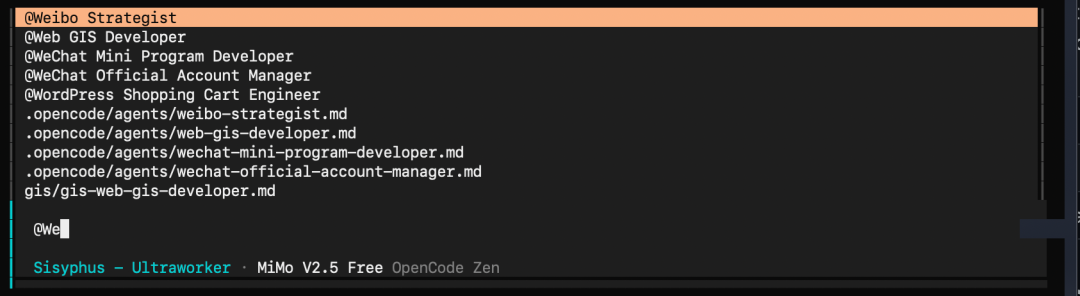
In OpenCode, invoke an agent with @ plus its name, for example:
@frontend-developer Write a React list component with infinite scrolling
@security-architect Review the security design of this API
@database-optimizer Optimize this slow query
Each agent responds based on its domain expertise and personality, giving more specific, more actionable answers.
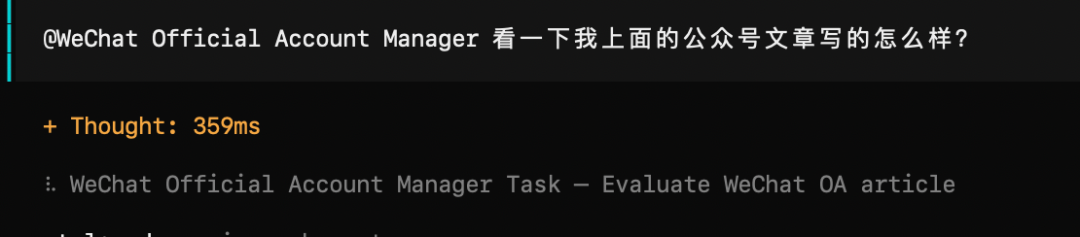
I had it take a look at how well this very article is written:

Here's the feedback it gave:
The suggestions were mostly on point, so I just had it rewrite a version.
Pitfall Guide
Q: I get a "registers only ~119 agents" warning during install?
This is a known OpenCode bug (upstream issue #27988): it registers at most about 119 agents. Just use --division to control the total, e.g. install only engineering + design = 43 agents.
Q: OpenCode doesn't recognize the agents after installing?
Make sure the agent files live under .opencode/agents/ at the project root and the format is correct (each file starts with YAML frontmatter wrapped in ---).
Q: How do I upgrade to the latest version?
Just re-run the conversion and install; the old files get overwritten:
cd agency-agents && git pull
./scripts/convert.sh --tool opencode
./scripts/install.sh --tool opencode --division engineering,design,security,testing
Final Thoughts
agency-agents isn't some disruptive innovation. It does one plain but genuinely valuable thing: it upgrades AI agents from "generic prompts" to "professional roles," and ships a complete toolchain so you can wire them into your real workflow quickly.
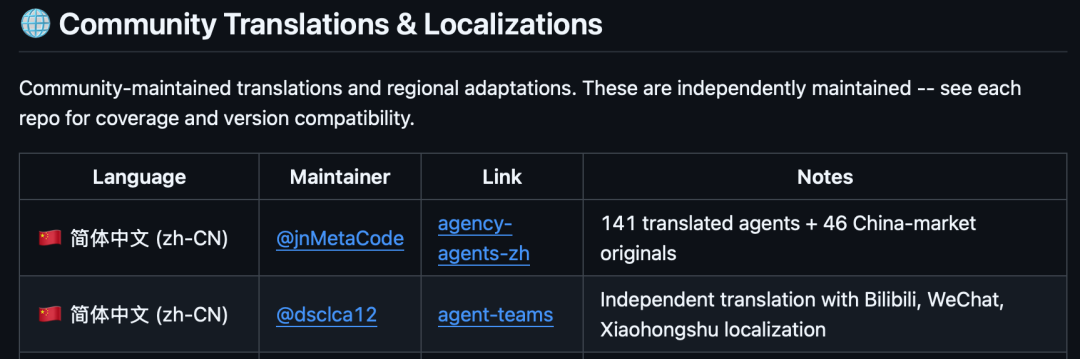
At the end, the official repo also points to a Chinese-community-maintained version:
https://github.com/jnMetaCode/agency-agents-zh
If you run into any issues while using it, feel free to discuss in the comments.